Custom issue tracker
- Tier: Free, Premium, Ultimate
- Offering: GitLab.com, GitLab Self-Managed, GitLab Dedicated
You can integrate an external issue tracker with GitLab. If your preferred issue tracker is not listed in the integrations list, you can turn on a custom issue tracker.
After you turn on the custom issue tracker, a link to the issue tracker appears in the left sidebar in your project.
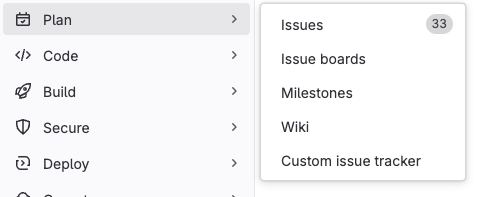
Enable a custom issue tracker
To turn on a custom issue tracker in a project:
- In the top bar, select Search or go to and find your project.
- In the left sidebar, select Settings > Integrations.
- Select Custom issue tracker.
- Under Enable integration, select the Active checkbox.
- Fill in the required fields:
- Project URL: The URL to view all the issues in the custom issue tracker.
- Issue URL: The URL to view an issue in the custom issue tracker. The URL must contain
:id. GitLab replaces:idwith the issue number (for example,https://customissuetracker.test/project-name/:id, which becomeshttps://customissuetracker.test/project-name/123). - New issue URL: Enter any URL. This URL is not used and an issue exists to remove it.
- Optional. Select Test settings.
- Select Save changes.
Reference issues in a custom issue tracker
You can reference issues in a custom issue tracker using:
#<ID>, where<ID>is a number (for example,#143).<PROJECT>-<ID>(for example,API_32-143) where:<PROJECT>is a prefix you choose, like the project key in your custom issue tracker. Use a prefix to make it clear that the reference is to an issue in a custom issue tracker and not a GitLab issue. The prefix must start with a capital letter, followed by capital letters, numbers, or underscores. You don’t configure<PROJECT>in GitLab.<ID>is a number.
GitLab ignores <PROJECT> when it creates the link.
The link uses the Issue URL, with :id replaced by <ID>.
For example, API_32-143 (<PROJECT> of API_32) and WEB-143 (<PROJECT> of WEB)
both link to https://customissuetracker.test/project-name/143.
Use the longer format (<PROJECT>-<ID>) if you have both internal and external issue
trackers turned on.
If you use the shorter format, and an issue with the same ID exists in the internal issue tracker,
the internal issue is linked.