Send telemetry data to GitLab Observability
- Tier: Free, Premium, Ultimate
- Offering: GitLab.com, GitLab Self-Managed
- Status: Beta
After you configure Observability, you can start sending data to GitLab.
To get started, view CI/CD pipeline data, send test data, or use templates.
View Observability data
After GitLab Observability is configured:
- In the top bar, select Search or go to and find your group or project.
- In the left sidebar, select Observe > Services.
- Select the service you want to view details for.
Instrument your application
To add OpenTelemetry instrumentation to your applications:
- Add the OpenTelemetry SDK for your language.
- Configure the OTLP exporter to point to your GitLab Observability instance.
- Configure recommended resource attributes.
- Add spans and attributes to track operations and metadata.
Refer to the OpenTelemetry documentation for language-specific guidelines.
Recommended resource attributes
Configure your OpenTelemetry SDK with these resource attributes to link telemetry data back to your GitLab project and code. This enables features like correlating traces to commits and automated issue creation from exceptions.
| Resource attribute | GitLab CI/CD variable | Description |
|---|---|---|
gitlab.project.id | CI_PROJECT_ID | Links telemetry to the GitLab project. Required for GitLab Duo integration. |
gitlab.project.name | CI_PROJECT_NAME | Human-readable project name for display in dashboards. |
service.version | CI_COMMIT_SHA | The commit SHA of the running code. Lets you correlate traces and errors to the exact version deployed. |
deployment.environment.name | CI_ENVIRONMENT_NAME | The environment where the code is running (for example, production or staging). |
service.version and deployment.environment.name are
OpenTelemetry semantic conventions.
The gitlab.* attributes use a vendor namespace for GitLab-specific context.
All four variables are predefined in GitLab CI/CD and require no additional configuration when your application runs in a pipeline. For local development, set these environment variables manually or accept empty defaults.
The following Ruby example shows how to configure these attributes:
OpenTelemetry::SDK.configure do |c|
  c.resource = OpenTelemetry::SDK::Resources::Resource.create(
    'gitlab.project.id'           => ENV.fetch('CI_PROJECT_ID', ''),
    'gitlab.project.name'         => ENV.fetch('CI_PROJECT_NAME', ''),
    'service.version'             => ENV.fetch('CI_COMMIT_SHA', ''),
    'deployment.environment.name' => ENV.fetch('CI_ENVIRONMENT_NAME', '')
  )

  c.use_all
end
For other languages, set the same resource attributes using your language’s OpenTelemetry SDK. The attribute names and environment variables are identical across all languages.
Send test data
You can test your GitLab Observability installation by sending sample telemetry data using the OpenTelemetry SDK. This example uses Ruby, but OpenTelemetry has SDKs for many languages.
Prerequisites
Ruby installed on your local machine.
Required gems:
gem install opentelemetry-sdk opentelemetry-exporter-otlp
Create a basic test script
Create a file named test_o11y.rb with the following content:
require 'opentelemetry/sdk'
require 'opentelemetry/exporter/otlp'

OpenTelemetry::SDK.configure do |c|
  # Define service information
  resource = OpenTelemetry::SDK::Resources::Resource.create({
    'service.name' => 'test-service',
    'service.version' => '1.0.0',
    'deployment.environment.name' => 'production',
    'gitlab.project.id' => ENV.fetch('CI_PROJECT_ID', ''),
    'gitlab.project.name' => ENV.fetch('CI_PROJECT_NAME', '')
  })
  c.resource = resource

  # Configure OTLP exporter to send to GitLab Observability
  c.add_span_processor(
    OpenTelemetry::SDK::Trace::Export::BatchSpanProcessor.new(
      OpenTelemetry::Exporter::OTLP::Exporter.new(
        endpoint: 'http://[your-o11y-instance-ip]:4318/v1/traces'
      )
    )
  )
end

# Get tracer and create spans
tracer = OpenTelemetry.tracer_provider.tracer('basic-demo')

# Create parent span
tracer.in_span('parent-operation') do |parent|
  parent.set_attribute('custom.attribute', 'test-value')
  puts "Created parent span: #{parent.context.hex_span_id}"

  # Create child span
  tracer.in_span('child-operation') do |child|
    child.set_attribute('custom.child', 'child-value')
    puts "Created child span: #{child.context.hex_span_id}"
    sleep(1)
  end
end

puts "Waiting for export..."
sleep(5)
puts "Done!"
Replace [your-o11y-instance-ip] with your GitLab Observability instance’s IP address or hostname.
Run the test
Run the script:
ruby test_o11y.rbGo to Observe > Services. Select the
test-serviceservice to see traces and spans.
GitLab Observability templates
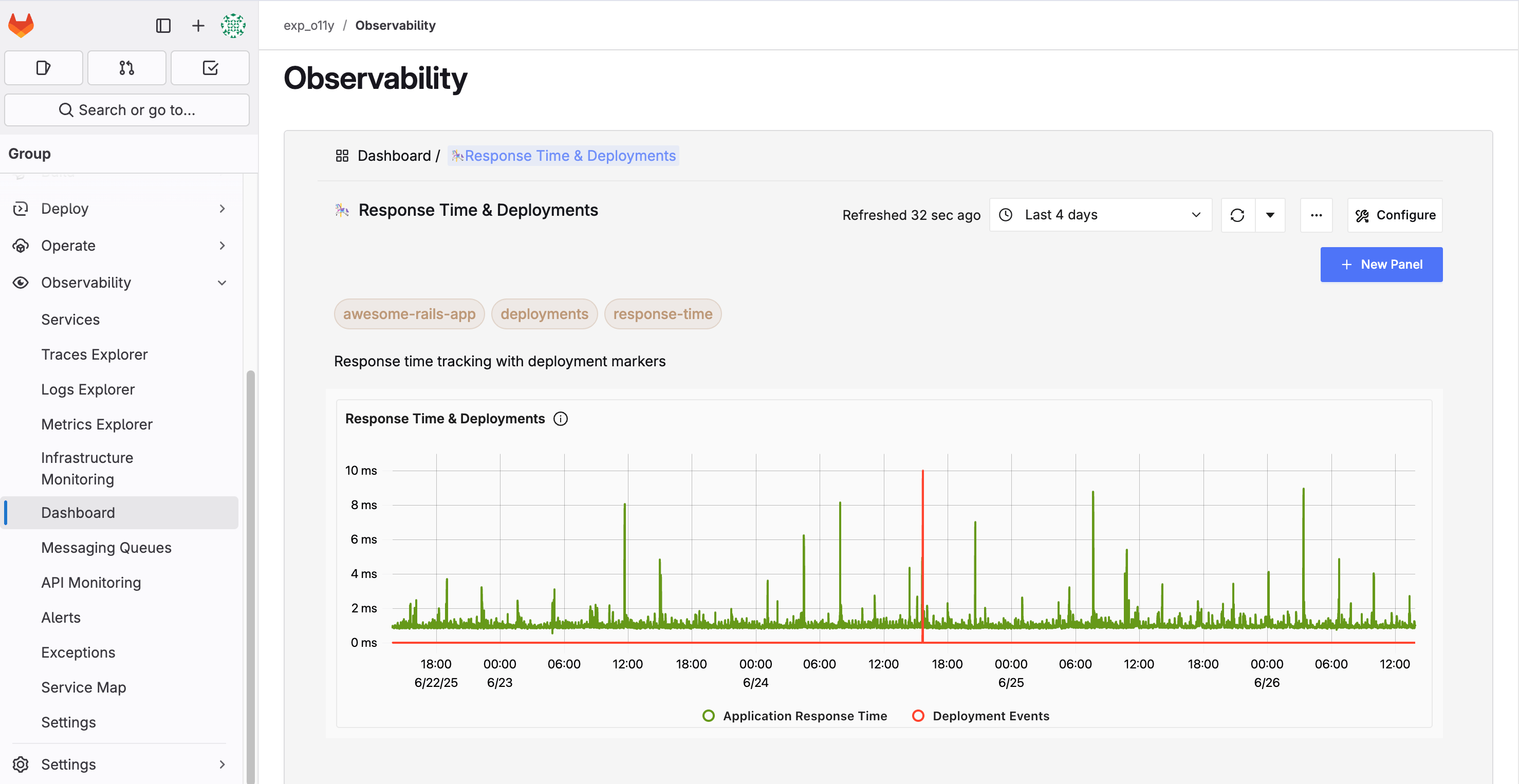
GitLab provides pre-built dashboard templates to help you get started with observability quickly. These templates are available at GitLab Observability Templates.
Available templates
Standard OpenTelemetry dashboards: If you instrument your application with standard OpenTelemetry libraries, you can use these plug-and-play dashboard templates:
- Application performance monitoring dashboards
- Service dependency visualizations
- Error rate and latency tracking
GitLab-specific dashboards: When you send GitLab OpenTelemetry data to your GitLab Observability instance, use these dashboards for out-of-the-box insights:
- GitLab application performance metrics
- GitLab service health monitoring
- GitLab-specific trace analysis
CI/CD observability: The repository includes an example GitLab CI/CD pipeline with OpenTelemetry instrumentation that works with the GitLab Observability CI/CD dashboard template JSON file. This helps you monitor your CI/CD pipeline performance and identify bottlenecks.
Using the templates
- Clone or download the templates from the repository.
- Update the service name in the example application dashboards to match your service name.
- Import the JSON files into your GitLab Observability instance.
- Configure your applications to send telemetry data using standard OpenTelemetry libraries as described in the Instrument your application section.
- The dashboards are now available with your application’s telemetry data in GitLab Observability.